Integration of the Lesson Schedule with an External Calendar
SUMMARY
- Teachers can connect their lesson schedule to an external calendar using an iCal link
- The schedule can be viewed in Google Calendar and other iCal-supported calendar apps
- Lessons become visible on phone, tablet, or computer, making access easier during the day
- Teachers can check lesson times in their usual calendar, without opening the system each time
- The lesson schedule appears together with other daily events, which helps with planning
- This is especially useful for teachers who work in multiple locations or teach for different companies
- The main benefit is better schedule visibility, faster access, and easier daily organization
Integration of the Lesson Schedule with an External Calendar
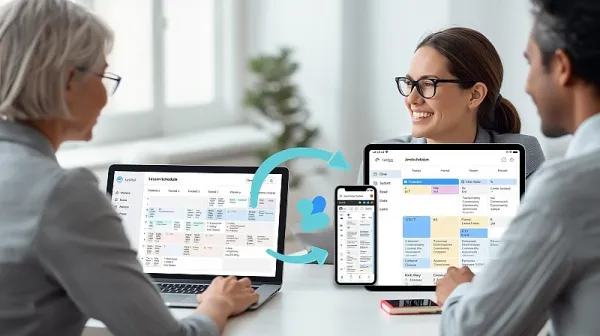
The Lesson Planner includes an external iCal calendar link, which allows teachers to connect their lesson schedule to any device or calendar app that supports the iCal format (for example, Google Calendar and similar calendar tools).
This makes it easy for teachers to view their lesson schedule in the calendar they already use every day. Once connected, they can follow planned lessons on their phone, tablet, or computer without needing to open the Clasero system each time.
This integration is especially useful for teachers who manage busy schedules or work in multiple places, because it helps keep all lesson times visible in one familiar calendar view.
What this allows in practice
- Connect the lesson schedule to external calendar apps using an iCal link
- View lessons on any device that supports iCal calendars
- Keep lesson times easily accessible in a daily calendar workflow
- Use familiar tools such as Google Calendar
- Improve schedule visibility for teachers working across multiple locations or organizations
In short, this functionality helps teachers access their lesson schedule more conveniently and stay organized by syncing it with their preferred calendar tools.
Practical application of external calendar integration
This function is used to show the lesson schedule in the teacher’s own calendar app through an iCal link.
In practice, the teacher copies the external calendar link from the system and adds it to a calendar app such as Google Calendar (or any other app that supports iCal). After that, the teacher can see scheduled lessons in the same calendar they already use on a phone, tablet, or computer.
This is useful in daily work because the teacher does not need to open the lesson system every time to check lesson times. The schedule is visible together with other personal or work events, which makes planning easier.
It is especially practical for teachers who:
- work in multiple locations
- teach for more than one company
- use mobile devices during the day
- need a quick overview of upcoming lessons
In short, the practical use of this function is to make lesson schedules easier to access, improve daily planning, and help teachers stay organized using their preferred calendar tools.
Benefits
- Easy access to lesson schedules in the teacher’s preferred calendar app
- Works with iCal-supported calendars such as Google Calendar
- View lessons on any device (phone, tablet, computer)
- No need to open the system repeatedly to check lesson times
- Keeps lesson schedule visible alongside other daily events
- Improves daily planning for busy teachers
- Helpful for teachers working in multiple locations
- Useful for teachers connected to multiple companies
- Supports mobile-friendly schedule management during the day
- Helps teachers stay organized with a familiar calendar view