
Still spending your evenings turning attendance notes into invoices? Whether you teach 10 students yourself or manage several teachers across locations, the same month-end calculation is waiting. Independent teachers feel it as lost evenings. School managers feel it as chasing attendance sheets and correcting billing mistakes.
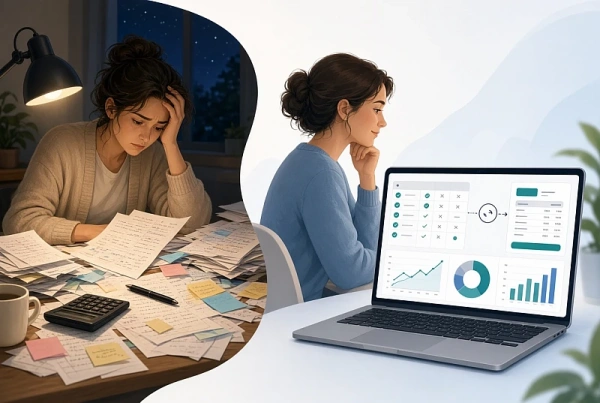
One instructor with only 10 students used to open a spreadsheet, check personal notes, adjust two rescheduled lessons, and type ten individual invoices. Now the attendance already marked in the lesson produces the invoices; only a quick review remains.
A dance-school teacher with roughly 200 students used to spend more than four hours every month turning attendance notes into invoices. This is the daily reality of after-school program management when student attendance tracking and invoicing stay in separate spreadsheets.
How Clasero Removes the Evening Work
Clasero removes that evening work. Teachers mark who attended inside the lesson. The system calculates the pay-as-you-go charge for each visit and lets administrators generate individual bulk invoices in seconds once the attendance is recorded.
- The teacher marks who attended inside the lesson.
- The system calculates the exact pay-as-you-go charge for each visit.
- The administrator generates individual invoices for the whole period in bulk.
- Subscription invoices are produced separately so the two models never mix.
The result is the equivalent of a secretary who prepares accurate bills from the attendance the teacher already marked, so the evening calculation work disappears. This approach combines attendance registration with invoice automation so class schedule and billing stay in one place.
Why the Admin Load Is So Common
Research in England shows teachers and middle leaders spend an average of two hours a day on administrative tasks, with general admin frequently ranked as the activity that consumes too much time (DfE 2023; Teacher Workload Survey 2019). For independent instructors this often means reclaiming several hours at month-end that previously went into reconciling spreadsheets and attendance notes.
At a scale of 100 students this typically turns a multi-hour month-end task into a few minutes of review. For anyone running after-school classes, the same pattern appears when attendance records, rescheduled sessions, and different payment models have to be reconciled by hand.
Why Spreadsheet Billing Breaks Down
Most instructors begin with a simple spreadsheet that tracks names, dates, and amounts. It feels manageable until a student switches from a subscription to pay-per-visit, a parent requests a detailed list of sessions attended, or a cancelled lesson is later rescheduled.
Each change requires a manual update. Small mistakes become easy to miss, and the time spent verifying records grows with every additional student.
The same load appears for coordinators who work with several teachers. Notes arrive in different formats. Collecting them, confirming actual attendance, and producing accurate invoices for every family turns into a recurring administrative task that competes with teaching and program management.
What Changes When Attendance Drives the Invoice
Clasero acts as class billing software that turns student attendance tracking into automated invoicing for teachers. The process stays inside the same system that already holds the schedule. Teachers register who came during or right after the lesson. Those marks become the source of truth for billing.
There is no second round of data entry at month-end. Subscription-based payments remain cleanly separated, so families on fixed plans are not mixed into the per-visit calculations.
Scaling Across Locations and Teaching Staff
The same workflow supports programs that operate in more than one place or employ several instructors. Each branch keeps its own rooms, classes, and schedules. Attendance is marked where the lesson takes place.
The same bulk invoice generation works for multi-location after-school classes without collecting separate attendance sheets from each teacher or branch. A coordinator no longer collects separate attendance sheets from each teacher; the marks already sit with every lesson.
Reports show both summary totals and visit-by-visit breakdowns. Coordinators can review attendance, outstanding amounts, and overall income for a chosen period without assembling the figures by hand.
What Parents and Teachers See
Parents also see upcoming lessons and attendance records on the parent portal, so questions about a particular session can be answered from the same data the teacher already entered. Detailed visit reports and the parent portal for attendance let you and families verify every charge before invoices go out.
Parents see the same attendance record the teacher marked, so questions about a specific visit are answered from one source instead of extra messages.
The Practical Difference at Month-End
Once attendance is registered as part of the normal lesson routine, the evening spent reconstructing invoices largely disappears. Administrators generate the bulk invoices for the pay-as-you-go students in seconds, even when the number of visits is large. The remaining work shifts from calculation to simple review.
- Actual attendance (not the original timetable) drives the charge.
- Pay-as-you-go amounts are calculated automatically.
- Individual invoices are generated in bulk in seconds.
- Subscription and per-visit models stay separate.
Fewer Errors and Clearer Records
A rescheduled lesson that used to be billed twice or missed entirely is invoiced once, because the charge follows the actual attendance mark, not the original calendar entry. This is what helps reduce billing errors.
The same marked attendance that drives the invoice also serves as the record the secretary (or the system) uses, so calculation and verification stay linked.
How Subscription Billing for Classes Stays Separate
Subscription billing for classes is handled on its own schedule and never mixed with pay-as-you-go class fees. Families on fixed plans continue without interruption while pay-as-you-go students are invoiced only for the visits that were marked.
Teachers and coordinators who previously closed their laptops late in the evening recover those hours for lesson preparation, student follow-up, or simply leaving on time. The administrative load that once felt inevitable becomes a short, predictable step instead of a monthly project.
If the monthly spreadsheet evening is familiar, the fastest way to reduce teacher administrative workload is to see how attendance-based invoicing turns marked attendance into finished invoices for your current after-school class management and locations.


